- Overview
- Compatibility
- Battery Tips
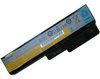
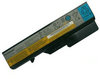
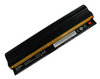
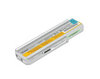
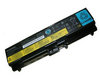
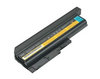
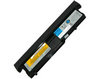
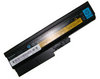
Perfect for extended computer usage around your home, office or whil on the road, the genuine thinkpad x61s laptop battery is the ideal companion to your Lenovo notebook. This rechargeable battery can be used instead of the original Lenovo thinkpad x61s battery without any problems and can be recharged with the available standard power supply. You can use it as a replacement,or use it as a spare.
Lenovo ThinkPad X61s Battery Compatible Part Numbers:
- Lenovo ASM 92P1164 Battery
- Lenovo ASM 92P1166 Battery
- Lenovo FRU 42T4629 Battery
- not all compatible parts are listed
Lenovo ThinkPad X61s Battery Fits Laptop Models:
Genuine Lenovo ThinkPad X61s Laptop Battery Tips
- Be sure to fully charge your new genuine thinkpad x61s battery when you use it for the first time.
- For proper maintenance of a lithium-based battery,it’s important to keep the electrons in it moving occasionally.For example,people use their Lenovo laptop on the train, then plug it in at the office to charge.This keeps the original lenovo thinkpad x61s laptop battery juices flowing.We recommend charging and discharging your battery at least once per month.
- If you are not going to use your notebook for a long period of time(more than six months),leave the lenovo battery thinkpad x61s at a 50% charge and store it in places with proper temperature.The recommended storage temperature is 10°C to 35°C.
- Follow correct maintenance for your genuine lenovo thinkpad x61s battery when not in use. Don't leave the thinkpad x61s battery in direct sunlight, areas where it will be exposed to extreme temperatures such as heater.