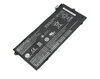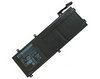

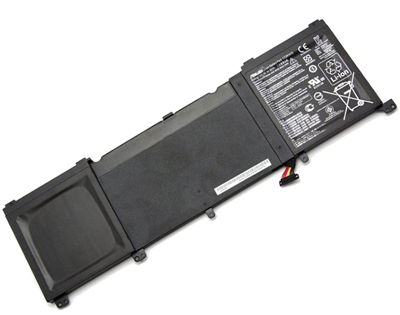






 Buy Asus Original Laptop Battery Online
Features About Asus ZenBook Pro UX501JW Laptop Battery
Genuine laptop battery zenbook pro ux501jw can extend the use of laptops.The genuine Asus laptop batteries allow you to use your laptop around your home, office or while on the road, and genuine laptop battery is the ideal companion to your Asus notebook. This rechargeable battery can be used instead of the original Asus zenbook pro ux501jw battery without any problems and can be recharged with the available standard power supply. You can use it as a replacement,or use it as a spare.
The Following Information You Want To Know
- - Premium quality cells,your original battery asus zenbook pro ux501jw best buy.
- - The original laptop batteries is currently the best high-quality laptop battery of this model.
- - Asus laptop battery guarantees to meet the needs of the original specifications,provides the highest level of safety, reliability, dependability and adaptability.
- - No memory effect with asus battery,the battery is exclusively designed for genuine zenbook pro ux501jw battery.
Asus ZenBook Pro UX501JW Compatible Laptop Part(s):
- Asus C32N1415
Original ZenBook Pro UX501JW Battery Fits Model(s):
- ROG G501JW
- ROG G501VW
- ROG G60JW
- ZenBook Pro UX501JW
Genuine Asus ZenBook Pro UX501JW Laptop Battery Information
Don't remove or reinsert the genuine zenbook pro ux501jw battery while the laptop is running. Partially charging your genuine asus laptop batteries can cause it to lose its charging potential. Your battery only has a set number of charges/discharges available before it dies. Try to avoid partially charging youroriginal battery.Do not use a laptop or a laptop part zenbook pro ux501jw from extreme temperatures. High ambient temperature could make your Genuine Batteries rapidly self-discharge and reduce its using life.
Extend Your Genuine Asus ZenBook Pro UX501JW Laptop's Battery Life
- 1. For proper maintenance of a lithium-based battery, it’s important to keep the electrons in it moving occasionally. This keeps the original Asus zenbook pro ux501jw laptop battery juices flowing. We recommend charging and discharging your battery at least once per month.
- 2. Follow correct maintenance for your genuine battery when it not in use. Don't leave the new battery in direct sunlight, areas where it will be exposed to extreme temperatures such as a heater.
- 3. Be sure to fully charge your new genuine battery when you use it for the first time.
- 4. If you are not going to use your notebook for a long period (more than six months), leave the Asus battery zenbook pro ux501jw at a 50% charge and store it in places with proper temperature. The recommended storage temperature is 10°C to 35°C.